


AusweisApp Bund
Governikus GmbH & Co. KG
Using a digital identity app is rarely exciting, but it can make an important online task much less stressful when the process is clear. I spent time with AusweisApp Bund, the free identification app from Governikus GmbH & Co. KG, and found that its strongest quality is focus: it is built around using a German identity document for online identification rather than trying to become a general-purpose digital wallet or document manager.
That narrow purpose matters for accessibility. A person may be comfortable reading websites and filling in forms but still find identity checks difficult because they involve several steps, a physical document, a phone, and sometimes another device. In my experience, the app is most helpful when I prepare the environment before starting. It can reduce confusion at the identification stage, but it does not remove every barrier created by the service I am trying to access.
How the app feels to read and navigate
The interface is easier to understand when I treat it as a guided tool instead of browsing through a large collection of features. The central task is obvious: identify securely online. That makes the app less intimidating than many government-related services that mix information, forms, messages, and account settings on one crowded screen.
For people who prefer straightforward navigation, this is a real advantage. I do not need to learn a complicated workflow before attempting an identification session. The app’s role becomes clear quickly, and that clarity helps users who are nervous about making a mistake with an official document.
At the same time, the process still contains concepts that may be unfamiliar. Terms connected with electronic identification, document checks, and device communication are not always everyday language. A first-time user may understand what they want to do without immediately understanding why the app asks them to perform a particular step. I would have liked every stage to feel equally conversational, especially when the app is used under time pressure.
Related News

Instagram Is No Longer a Photo App. It Is an Attention Engine

Microsoft Teams Mobile: When Collaboration Becomes Navigation

How the NFL App Adapts to Android and iOS Updates

Temu: Elevate Your Shopping Experience to Billionaire Status

Why Traffic Rider Works Best as a Precision Reflex Game

How Google’s Find Hub Transforms Everyday Searches
Readability also depends on the phone itself. Someone with reduced vision may need to enlarge system text or use the device’s built-in reading and magnification tools. That can help, but enlarged text may change how much information fits on screen and may require more scrolling. I would test the complete identification flow before an important appointment rather than assuming that changing the phone’s text size will make every screen comfortable.
Navigation is most manageable when I follow the order presented by the app instead of switching repeatedly between the app and the service requesting identification. This is a small but useful habit: read the instruction fully, complete that step, then return to the next prompt. Rushing between screens makes the process feel more complicated than it needs to be.
AusweisApp Bund belongs to the Libraries & Demo area of the app marketplace, although I would not describe it as a library in the everyday sense. It is better understood as a practical utility for online identity checks. That classification does not tell me much about the experience, but the app itself is more purposeful than the category suggests.
Gallery
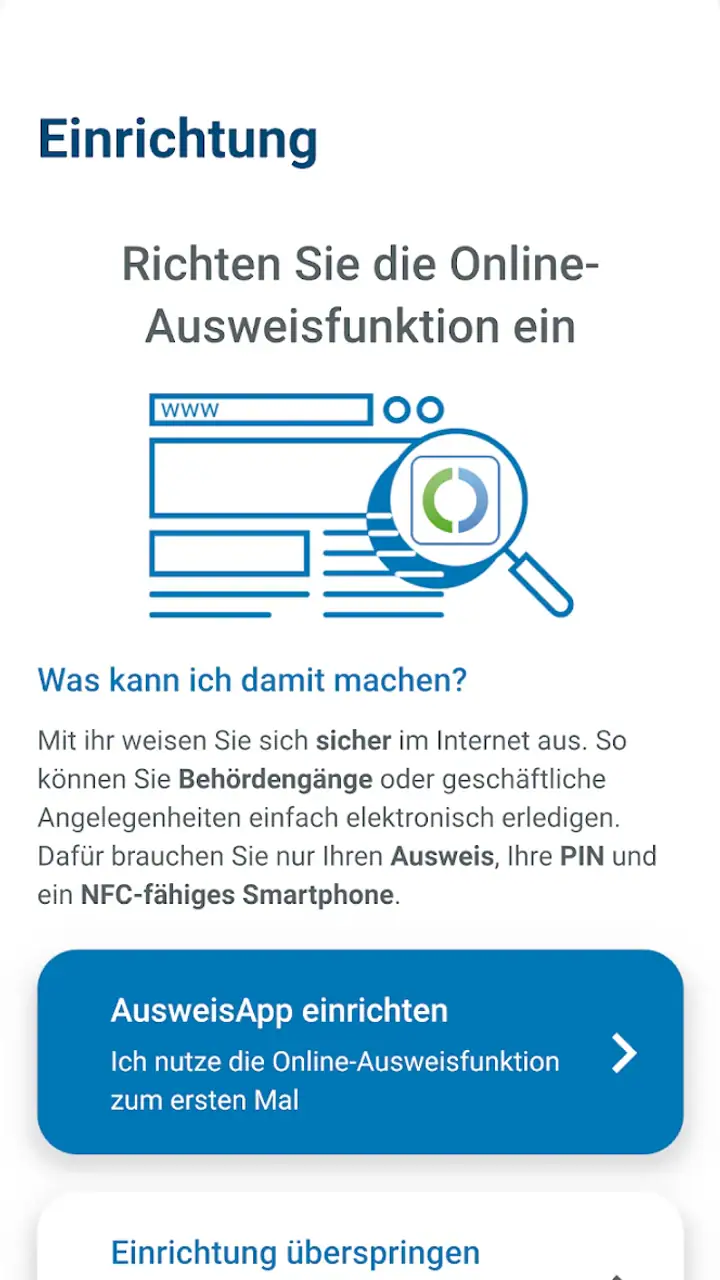
Useful preparation before an identification session
My best advice is to avoid beginning with a half-charged phone, poor lighting, or several unrelated apps open. Put the identity document somewhere easy to handle, clean the phone screen, and choose a quiet place where you can concentrate on the instructions. These details sound minor, yet they make a noticeable difference when a process requires careful positioning or a steady sequence of actions.
It is also worth opening the service that requested identification first and checking exactly where the identity step appears. That prevents a common source of confusion: launching the identification app without knowing whether the website or service is ready to continue. The app can handle its part well, but it cannot make an unprepared external service easier to navigate.
For a family member or support person helping someone else, I would recommend agreeing in advance on who reads instructions and who handles the phone. Sharing a screen or taking control of the device can be useful, but identity documents are sensitive. Assistance should preserve the user’s control over the document and the final confirmation rather than turning the whole process into something done by another person.
Motor, sensory, and situational access
Physical interaction is where the experience becomes more demanding. Identification may involve holding a document and a phone in a particular relationship, keeping them steady, and responding to instructions without accidentally leaving the process. A user with tremors, limited grip strength, joint pain, or fatigue may find this more difficult than the software interface itself.
I would not call the app unsuitable for people with motor impairments, but I would plan around the physical setup. A stable table, a phone stand, or another safe way to support the device can reduce the need to hold everything in midair. The important point is not to improvise while the session is already underway. Preparing a steady surface first can turn a frustrating attempt into a manageable one.
Users who cannot easily perform two-handed actions may need another person to provide practical support. That creates a privacy trade-off. Help with positioning is different from handing over control of the entire identification process, and users should decide what assistance they are comfortable with before starting. The app’s focused design helps keep the task understandable, but it cannot solve the personal and physical questions around assisted use.
For people with hearing loss, visual processing differences, or difficulty following rapid instructions, the best approach is to slow the surrounding situation down. Work in a quiet room, increase the phone’s volume if audio is involved, and read each visible instruction before acting. I would not rely on sound alone for an important identification attempt. If a prompt is easy to miss, pausing to inspect the screen is safer than guessing.
People with photosensitivity or sensory sensitivity may also prefer a calmer environment and lower screen brightness. The identification task is not something I would combine with a noisy commute or a crowded waiting room unless necessary. Reducing distractions helps users who process information slowly, and it also helps anyone who simply wants to avoid repeating the process.
The app is available for users on relatively old devices, with a minimum operating system requirement of 9. That is helpful for people who keep a phone for many years or cannot replace hardware frequently. However, operating system compatibility is only one part of practical access. Older phones may have smaller displays, slower performance, less reliable batteries, or cameras and communication hardware that make the overall task less comfortable.
That distinction is important. A phone can technically run the app and still be a poor device for a demanding identity check. If a user has access to a newer family phone, borrowing it may make the physical process easier, but the person should remain careful about account context, privacy, and where the identity session is completed.
A realistic everyday situation
Imagine receiving an online request that requires secure identification while sitting at home after work. I would first open the requesting service on a larger screen if possible, then keep the phone nearby with AusweisApp Bund ready. I would place the identity document on a clear surface, silence unnecessary notifications, and make sure I had enough time to follow the instructions without rushing.
If I were helping someone with limited vision, I would ask what they can comfortably read rather than assuming. They might prefer larger system text, stronger contrast, spoken assistance from the phone, or simply having each instruction read aloud. I would let the user confirm each important action themselves wherever possible. This approach supports independence while still addressing the practical difficulty of small text or awkward device handling.
If the first attempt failed, I would not immediately repeat the same movements. I would check the positioning, lighting, phone stability, and the point at which the process stopped. Repeating an unclear action without changing the setup is especially tiring for users with motor or sensory limitations. A short pause and one controlled adjustment are usually more useful than several hurried attempts.
Where it compares well and where it does not
Compared with relying only on a browser page, the dedicated app gives the identification part a clearer home. That separation can make the task easier to understand, particularly for users who do not want sensitive identity actions mixed into a busy website. I also prefer having a focused tool when I need to repeat this kind of process, because I know which app is responsible for the identity step.
Compared with an in-person visit, however, the app demands more from the user’s equipment and environment. A service counter may provide staff, physical guidance, and a larger setup, while an app expects the user to manage the phone, document, connection, and instructions. For someone who cannot comfortably handle the physical steps or who needs direct human assistance, an offline or staffed alternative may be better.
Compared with a broader digital wallet, AusweisApp Bund is less ambitious and therefore less cluttered. That is a strength if I only want online identification. It is not the right choice for someone looking for one place to organize travel documents, payment cards, tickets, and identity credentials. Its value comes from doing one official task rather than from replacing every other digital document tool.
The app has reached more than five million installs and holds an average rating of 3.2 from around fifty-six thousand ratings. Those figures suggest that it is widely used but not universally effortless. I read that combination as a reminder to judge the workflow for my own situation rather than assuming popularity guarantees a smooth experience for every user.
Remaining barriers and my inclusive verdict
The biggest limitation is that accessibility does not end at the app boundary. The website or organization requesting identification may use small text, confusing language, short time limits, or a layout that works poorly with assistive technology. Even if AusweisApp Bund presents its part clearly, the complete journey can still be difficult. I would therefore evaluate the whole service, not just the app icon.
Another barrier is confidence. Identity checks feel higher-stakes than ordinary sign-ins, so users may hesitate when an instruction is unclear or when the process appears to pause. Clear preparation reduces that anxiety, but the app could still feel demanding to someone who has never used electronic identification before. A patient support person can help, although privacy and consent must remain central.
There is also a practical dependency on a compatible phone and a suitable physical environment. Users with older hardware may meet the operating system requirement yet struggle with battery life, screen size, or device handling. People who cannot hold a document and phone comfortably may need a stand or assistance. These are not reasons to dismiss the app, but they should be part of the decision before an urgent deadline.
Privacy is another reason to be deliberate. I would avoid completing an identity session on a public device or in a place where other people can watch the screen. Someone assisting should be trusted, and the user should know which action confirms the process. The app’s purpose is sensitive by nature, so convenience should not override control.
The current version is 2.4.1, and the app is rated for Everyone. It is free to use, which removes a direct price barrier and makes it easier to recommend as a first option when an online service specifically supports this identification method. The free model does not eliminate the indirect costs of a suitable phone, time, assistance, or a backup plan if the process fails.
I recommend AusweisApp Bund to people who need secure online identification and are comfortable following a structured phone-based process. It is especially useful for users who prefer a focused tool over a crowded digital wallet, and for households that can prepare a stable, quiet setup before starting. The app’s narrow purpose makes it easier to explain than a larger identity ecosystem.
I would steer someone toward another route when they need face-to-face help, cannot reliably handle the document and phone, or are dealing with a requesting website that is itself inaccessible. In those situations, a staffed service or another officially supported method may be more practical. The app is not a universal accessibility solution, but it can be a sensible part of an inclusive workflow when the user’s needs, device, and surrounding service are considered together.
Overall, my opinion is positive but measured. AusweisApp Bund makes a specialized task more approachable by keeping the focus on online identification, and its free availability and support for older operating systems broaden its usefulness. Its real weakness is that the hardest parts may sit outside the interface: physical handling, unfamiliar terminology, external websites, and the need for privacy-conscious assistance. Prepare those elements first, and the app has a good chance of making an otherwise awkward process feel controlled rather than overwhelming.
FAQs for AusweisApp Bund
What is AusweisApp Bund and what does it do?
AusweisApp Bund is a mobile application designed to facilitate electronic identification for German citizens. It allows users to manage their digital ID, perform online identity verifications, and access e-government services securely. The app enhances convenience by enabling digital interactions with public services and private companies.
Is AusweisApp Bund secure for handling personal data?
Yes, AusweisApp Bund is built with robust security measures to protect user data. It employs advanced encryption methods to ensure that personal information remains confidential and secure during electronic transactions and identity verifications. Regular updates and compliance with data protection regulations further enhance its security.
What are the system requirements for AusweisApp Bund?
AusweisApp Bund requires a smartphone running on Android or iOS with an internet connection. For Android, a minimum version of Android 6.0 is needed, while iOS users should have at least iOS 11.0. Additionally, a compatible NFC-enabled device is necessary for reading electronic IDs.
How do I set up and use AusweisApp Bund for the first time?
To set up AusweisApp Bund, download it from the official app store and install it on your device. Open the app and follow the on-screen instructions to register your electronic ID. Ensure your NFC is enabled and place your ID card against the phone when prompted for authentication. After setup, you can start using the app for various services.
Can AusweisApp Bund be used internationally?
While AusweisApp Bund primarily serves German citizens, it can be used internationally for services that recognize German electronic IDs. However, the availability of specific features and services may vary depending on the country and the compatibility of local systems with German eID standards.
Pros
- Seamless integration with German ID cards.
- User-friendly interface for easy navigation.
- Regular updates enhance security features.
- Supports multiple languages for accessibility.
- Quick setup process for new users.
Cons
- Limited to German ID cardholders only.
- Requires stable internet connection.
- Some features need technical understanding.
- Occasional bugs in older devices.
- No offline functionality available.


